Skip to content
h555g Sports / Slots
LIVE LOBBY

h555g — Live Tables, Slots and Sportsbook in One Place

Live dealer tables, slot lobbies from CQ9, Habanero, Microgaming and PlayStar, and cricket sportsbook markets sit side by side — fund your account with Easypaisa, Bank Transfer or Debit Card where local law and eligible regions permit.

JazzCash Easypaisa Raast
Browse games
CONTENT / 01

Live Tables Versus Self-Paced Slots — What Suits You

Live tables run on a dealer's schedule: you join a real seat at Baccarat Fire or Roulette Pakistan Live and the hand or spin begins when the dealer calls it. The pace is set by the room, not you — ideal when you want the social weight of a physical table carried through your screen. Self-paced slots work differently.

  • Live Tables

    Baccarat Fire and Roulette Pakistan Live run with a real dealer on screen. Bet sizes and side options are shown at the table before you sit. The round is shared with other seated accounts, which means the dealer's rhythm controls the session pace. Good fit when you can give a game your full attention and want the call-and-response of a live room.

  • Slots and Crash

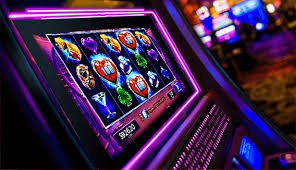
    Slot titles from PlayStar and Microgaming — including Football Quickstrike — start on your tap and pause when you close the tab. Bonus rounds and prize mechanics are built into each title and described in the paytable. Crash-style formats add a single rising multiplier you exit on your own read. RTP figures are shown only where the game or provider exposes them directly in the title screen.

DISCOVER / 01

Choose your game

Full lobby
CONTENT / 02

Choose Your Game Mode at h555g

The lobby puts live casino tables and self-paced slots on the same screen so you can switch without losing your place. Whether you want the pace of a real dealer at Roulette Pakistan Live or a quick spin session on your own schedule, both modes are open from the same account. Cricket fans will find sportsbook markets alongside casino options — no separate login needed.

FEATURE BRIEF / 05

Games the Lobby Opens On

When you enter the h555g lobby the first rail shows the titles that get opened most often by accounts in Pakistan. Aviator Mobile Play sits there — a crash-format game that runs on a single rising line and closes the round when the line resets. Football Quickstrike from the slot section draws cricket and football fans who want a sports-theme reel with a built-in bonus round.

Game feature guide
  • Aviator Mobile Play

    A crash-format title that runs on a single multiplier line. You cash out before the line resets — timing is your call and the result lands straight in your account wallet. The round is short enough for a mobile session between other tasks. No reel mechanics or symbol matching; the whole game is one rising number and your exit decision.

  • Football Quickstrike

    A sports-theme slot from the lobby with a bonus round built into the reel set. Prize combinations are laid out in the paytable, visible before your first spin. The title loads cleanly on mobile and desktop. RTP is shown only where the provider has published it on the title screen — check there rather than relying on external estimates for this or any other slot in the lobby.

  • Baccarat Fire

    Live dealer baccarat with a side-bet panel alongside the main Player and Banker options. Bet limits are displayed at the table before you place anything. The dealer is on a real-time feed, and results post to your wallet immediately after the round closes. Suits accounts that want the structure of a card-room table without leaving the browser.

GAME NETWORK
CQ9
Habanero
Microgaming
PlayStar
CONTENT / 04

h555g lobby studios

The h555g lobby carries content from CQ9, Habanero, Microgaming, PlayStar. To check the studio, rules or features of one specific game, open that game card or the published information panel.

  • CQ9

  • Habanero

  • Microgaming

  • PlayStar

ACCOUNT DASHBOARD

What Your Account Wallet Shows After Login

Once your account is active, the dashboard is where the current state of any running offers is shown — not on this page. We do not list schedules or amounts here because those details are account-specific and displayed inside your own session. After login, the wallet section shows your available balance, any pending amounts and the conditions attached to them.

  • Dashboard View

    The account dashboard after login shows your current wallet balance, any active conditions and the history of completed rounds. This is the place to check what is running on your account — the lobby page does not reflect account-specific states for logged-out visitors. Keep the dashboard tab open during a session for a live view of wallet movements.

  • Game Mechanics

    Prize rounds, bonus rounds and feature spins are mechanics built into individual game titles — they are not account-level offers. The paytable on each game's title screen describes how the mechanic triggers and what it pays. RTP figures are shown only where the studio has published them. Check the paytable before your first round on any new title.

  • Wallet History

    Every completed round and completed transfer posts to your wallet history in the order it happened. You can use this log to verify that a win from a Roulette Pakistan Live round or a slot session has been credited correctly. If a figure looks wrong, wallet history is the starting point before contacting support — it shows the exact timestamp and amount for each event.

Login
H555G
Mobile casino lobby
Popular Live Slots
Baccarat Fire Easypaisa TransferPro Football Quickstrike
MOBILE LOBBY

Built for phones, clear on desktop

Cards, tables, FAQ and policy pages stay easy to read on smaller screens.

  • Quick categories
  • Mobile first
  • Access
App
CONTENT / 03

The Full Lobby on Your Phone Screen

The h555g lobby is built to hold its layout at any screen width, which means the live table section and the slot rails look the same on a mid-range Android as they do on a desktop browser — no separate layout to learn.

  • Portrait Layout

    Live dealer tables reflow to a stacked layout on portrait screens — dealer feed on top, bet panel below. This applies to Baccarat Fire and Roulette Pakistan Live. You do not need to rotate the device to read the table; the layout adapts automatically when the browser resizes.

  • Wallet Pinned

    Your wallet balance stays visible at the top of the mobile lobby at all times. Tapping it opens the deposit or transfer screen without leaving the current game context. Easypaisa and Bank Transfer are in the same panel — no separate app switch needed to add funds mid-session.

  • No Download Needed

    Every game in the h555g catalogue — slots from CQ9 and Habanero, live tables, crash titles — runs in the mobile browser. There is no APK, no separate app store install. Open the site URL in your preferred mobile browser, log in and the full catalogue is available where local law and eligible regions permit.

LOCAL PAYMENTS

Deposits via Easypaisa, Bank Transfer and Debit Card

Three payment routes are configured on the h555g platform for Pakistan accounts: Easypaisa, Bank Transfer and Debit Card. Each method has its own set of fields and limits shown at the cashier screen inside your account — the fields displayed there are the accurate ones to follow, not any figures on this page.

  • Easypaisa

    Easypaisa is a mobile wallet method. The deposit flow at the cashier asks for your registered Easypaisa wallet number and confirms the transfer through the standard Easypaisa channel. Limits and available transfer amounts are shown at the cashier screen, not on this page. Availability depends on account verification status and local law.

  • Bank Transfer

    Bank Transfer uses your Pakistan bank account details entered at the cashier. The fields — account number, bank name and routing information — are displayed at the cashier screen during the deposit flow. Confirm the details carefully before submitting; the cashier screen shows the minimum and maximum amounts for this method.

  • Debit Card

    Debit Card deposits use the standard card number, expiry and security code fields at the cashier. Pakistan-issued debit cards on supported networks are accepted where local law and eligible regions permit. Your cashier screen will show which card types are active on your account at the time of the transaction.

JazzCash Pakistan payment context
Easypaisa Pakistan payment context
Raast Pakistan payment context
GET STARTED

From Registration to Your First Round in Four Steps

The path from a new visit to an active session at h555g follows four steps shown in sequence on the account page. Step one is opening the account registration form and completing the fields shown there — name, contact and login credentials. Step two is identity verification: your account settings page lists what documents or wallet confirmation are needed before deposits are enabled.

  1. Step 1 — Create Account

    Open the registration form and fill in the fields shown: contact detail, preferred login and a secure password. The form validates each field as you type, so errors appear before you submit. Once submitted, you receive a confirmation to the contact detail provided — follow that to activate the account.

  2. Step 2 — Verify Identity

    Account settings shows the verification documents or wallet confirmation required before deposits are enabled. This step differs by account type and local eligibility — check the settings page for the exact requirements on your account rather than relying on a general list here.

  3. Step 3 — Add Funds

    Go to the cashier and choose Easypaisa, Bank Transfer or Debit Card. Each method shows its own fields and the minimum deposit amount for your account. Complete the transfer using the details on screen. Your wallet balance updates once the transfer is confirmed through that method's standard process.

  4. Step 4 — Open the Lobby

    With funds in your wallet, the full lobby is accessible. Pick a live table, a slot from CQ9 or PlayStar, or head to the sportsbook for cricket markets. Your wallet balance is visible at the top of every lobby view so you always know what is available before opening a game.

MEMBER DESK / 06

Offers, support and account controls

01

Game lobby

02

Support

ACCOUNT HELP

Support Routes for Pakistan Accounts

Account help at h555g is available through the channels shown in the Help section of your account — not through a single fixed route. The most common account questions cover deposit status, identity verification steps and game round history. For deposit queries, the wallet history log in your account is the first place to check because it shows the timestamp and amount of every transaction.

  • Deposit and Wallet Queries

    Check your wallet history first — it shows every confirmed deposit with timestamp and amount. If a transfer via Easypaisa or Bank Transfer does not appear after the standard processing period shown at the cashier, take the transaction reference number from your payment app and open a query through the Help section in your account. That reference speeds up the check on both sides.

  • Account Verification Help

    Verification requirements are listed in your account settings under the relevant section. Each outstanding item shows what is needed and where to upload or confirm it. If a step is unclear, the Help channel in your account is the route to ask — the support team can see your account state and advise on exactly what is missing without you needing to describe it from scratch.

  • Game and Round History

    Every round you play — whether at a live table like Roulette Pakistan Live or a slot session — is logged in your session history. Round ID, stake and result are all recorded there.

ACCOUNT STANDARDS

How h555g Handles Your Account and Funds

Account integrity at h555g rests on four areas you can check directly: payment transparency, game fairness, data security and regional eligibility. Payment transparency means every deposit and withdrawal is logged in your wallet history with a timestamp — there is no hidden movement of funds.

  • Payment Transparency

    Every transaction on your account — deposit via Easypaisa, Bank Transfer or Debit Card, and every game result payout — posts to wallet history with timestamp, amount and method. Nothing moves without a record. If a transaction is missing from the log, the support team can trace it using the reference number from your payment provider.

  • Studio-Certified Game Content

    Slot and live table content comes from CQ9, Habanero, Microgaming and PlayStar. Game mechanics — bonus rounds, prize structures, RTP — are set by the studio and shown on the individual title screen. We do not alter the game logic or publish RTP figures that the studio has not provided. What you see in the paytable is what the game runs on.

  • Encrypted Account Sessions

    Account pages and cashier screens run on encrypted connections. Your login, personal details and card or wallet information are not transmitted over open connections. The browser padlock on every page confirms the session is secured. If you are on a shared or public network, using a private browser tab adds an extra layer of separation for your session data.

  • Local Eligibility

    Access to h555g depends on local law and eligible regions — this is stated at registration and on the account page. Where access is not available under local law, the registration form indicates this. We do not claim universal availability. Check the eligibility information shown during account creation for the current position on your region.

PLAYER INDEX / 07

Game Mechanics You Will See in the Lobby

Before you open a new game title, it helps to know what the standard mechanics mean — especially if you are moving between slots, live tables and crash formats for the first time. The lobby uses standard industry terms on game tiles and paytables.

Player guide and glossary
  • What does RTP mean on a slot tile?

    RTP stands for Return to Player — it is the theoretical percentage of all staked amounts that a game returns to players over a very large number of rounds. It is a statistical average calculated by the studio, not a round-by-round promise.

  • What is a bonus round in a slot game?

    A bonus round is a game mechanic built into the slot that triggers under certain reel conditions — typically landing a specific set of symbols. Once triggered, the bonus round plays differently from the base reel spin: it may offer feature spins, a pick-and-win screen or a multiplier sequence.

  • How does a crash game like Aviator Mobile Play work?

    In a crash format, a single multiplier line rises from a base value after each round begins. You decide when to exit before the line resets — the multiplier at the moment you exit is applied to your stake for that round. If the line resets before you exit, the round closes at zero for that stake.

  • What is a side bet at a live table?

    A side bet is an optional additional bet available at certain live table games — Baccarat Fire, for example, shows a side-bet panel alongside the main Player and Banker options.

  • What does paytable mean?

    The paytable is the information screen inside a game that lists every winning combination, its prize value relative to the stake, and the conditions that trigger bonus mechanics. On slot titles like Football Quickstrike, the paytable is accessible from the game's settings or info icon before you start.

  • What is a live feed in a live casino table?

    A live feed is the real-time video stream from the studio where a human dealer runs the table. At Roulette Pakistan Live and Baccarat Fire, the feed shows the dealer, the physical game equipment and the results as they happen. Your bets are placed through the digital overlay on the same screen.

  • What does wallet history show after a game round?

    After each completed round — whether in a slot, a live table or a crash game — the result posts to your wallet history with the round ID, stake amount, game name and outcome. If you win, the amount is added to your available balance immediately.

LOBBY / 02

One mobile lobby, distinct game areas

Baccarat Fire Live Baccarat Fire Access → Easypaisa TransferPro Slots Easypaisa TransferPro Access → Football Quickstrike Sports Football Quickstrike Access → Aviator Mobile Play Slots Aviator Mobile Play Access → Roulette Pakistan Live Live Roulette Pakistan Live Access → Roulette Red Green Live Roulette Red Green Access →
EXPLORE FURTHER / 04

Explore detailed guides

Local lobby check

QUICK ANSWERS

Frequently asked questions

The questions below cover what Pakistan accounts ask most often about the platform — deposits, account access, game access and eligibility. If your question is not answered here, the Help section inside your account is where to raise it directly with the support team.

Read FAQ →
How do I deposit using Easypaisa at h555g?

Go to the cashier inside your account and select Easypaisa from the payment options shown there. The cashier will display the required fields — your registered Easypaisa wallet number and the amount, within the limits shown on screen. Complete the fields and confirm. The transfer follows the standard Easypaisa channel.

Can I switch between live tables and slots in the same session?

Yes. The lobby puts live casino tables and slot titles on the same navigation rail under the same account. You can close a slot session and open Roulette Pakistan Live, or move from a live table to Football Quickstrike, without logging out or refreshing your account. Your wallet balance carries across both sections automatically.

Is h555g accessible on mobile without downloading an app?

Every game in the lobby — slots from CQ9, Habanero and PlayStar, live tables like Baccarat Fire, crash titles like Aviator Mobile Play — opens in the mobile browser without a separate install. Open the site URL in your Android or iOS browser, log in and the full catalogue is available.

What do I do if my deposit via Bank Transfer is not showing in my wallet?

First, check your wallet history inside your account — it logs every confirmed transaction with a timestamp. If the transfer is not there after the processing period shown at the cashier, take the transaction reference from your bank and open a support query through the Help section in your account.

How do I know if h555g is available in my region of Pakistan?

Eligibility information is shown on the account registration page during sign-up. The form indicates whether access is supported for your region based on local law and the platform's configured eligible regions. We do not state that the platform is universally available in Pakistan — access depends on the local legal position in your specific area.

Where can I find the current account offers or running conditions?

Account-level offers and any conditions attached to your wallet are shown in the dashboard after you log in — not on this public page. The dashboard reflects the current state of your specific account. What is shown there is accurate to your account at that moment. This page does not display account-specific states because they vary by account and are not publicly shared across the site.

How do cricket sportsbook markets work alongside the casino at h555g?

The sportsbook section sits in the same account as the casino lobby. Cricket markets — including PSL and international matches — are listed there when they are open for betting.

What studios supply games to the h555g lobby?

The h555g catalogue draws game content from four studios: CQ9, Habanero, Microgaming and PlayStar. Their names appear on individual game tiles in the lobby. These studios supply slot titles, live dealer tables and table game formats.

READY WHEN YOU ARE

h555g game lobby

Access may be available only where local law permits.

Register Login